

 Image 1 of 5
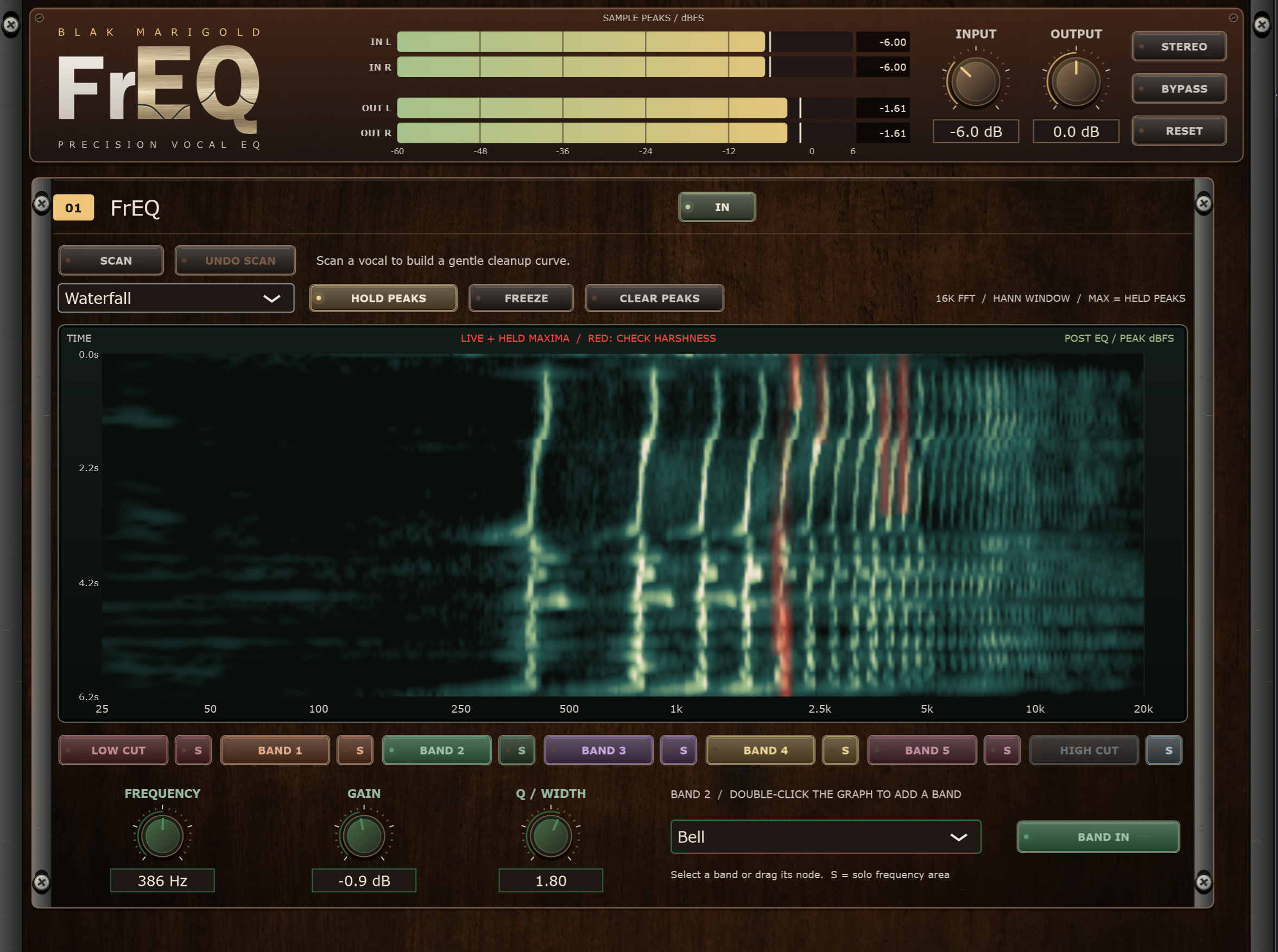 Image 2 of 5
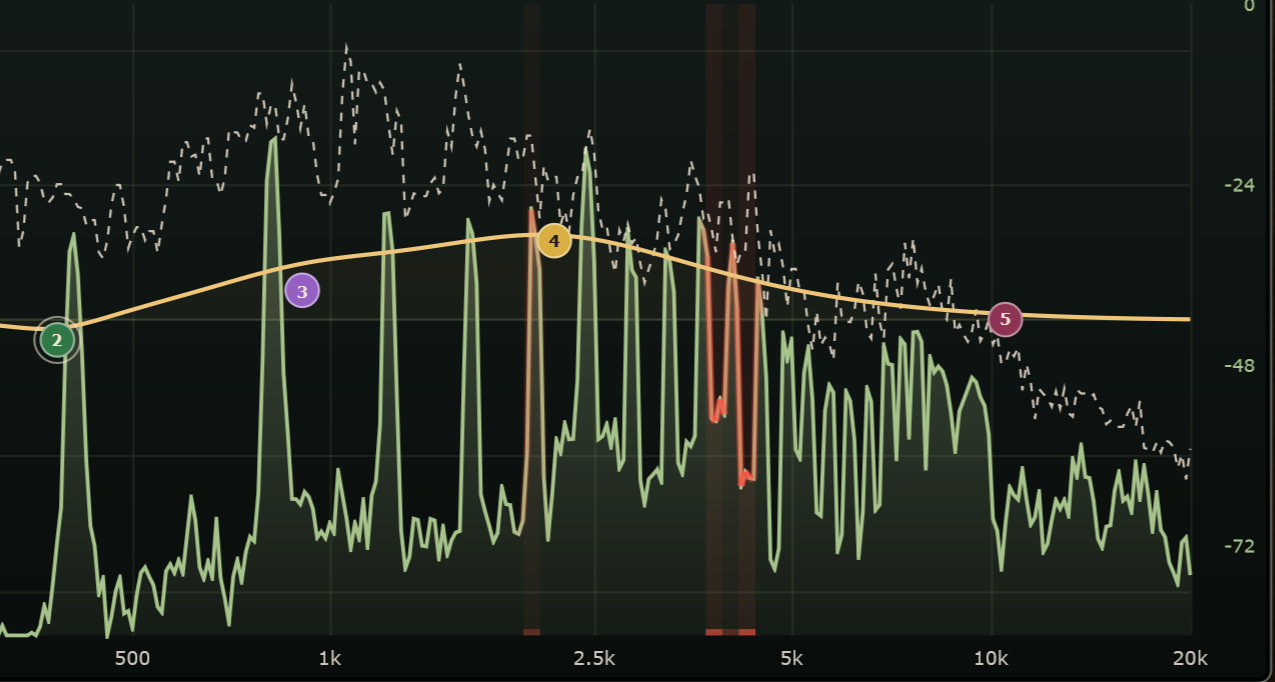 Image 3 of 5
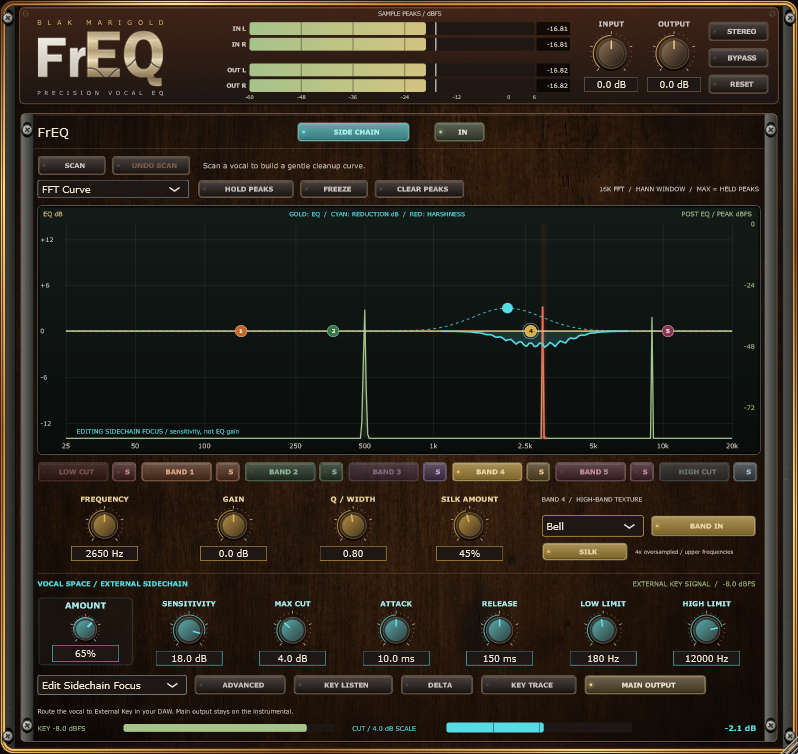 Image 4 of 5
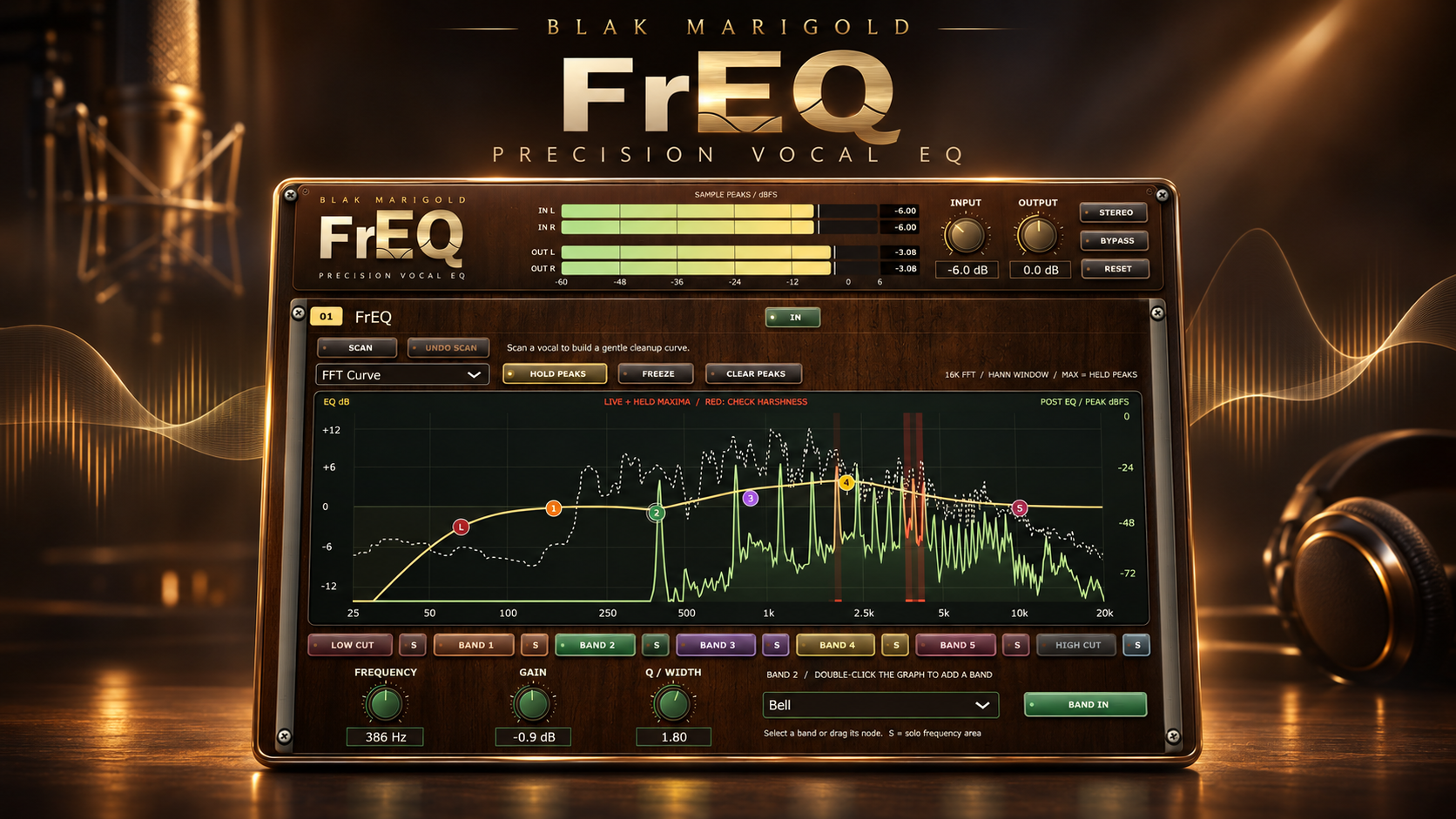 Image 5 of 5
Find the harsh frequencies in your vocals and fix them fast. FrEQ is a free precision vocal EQ from Blak Marigold Studio in Manor, Texas, built from real sessions in our own room.
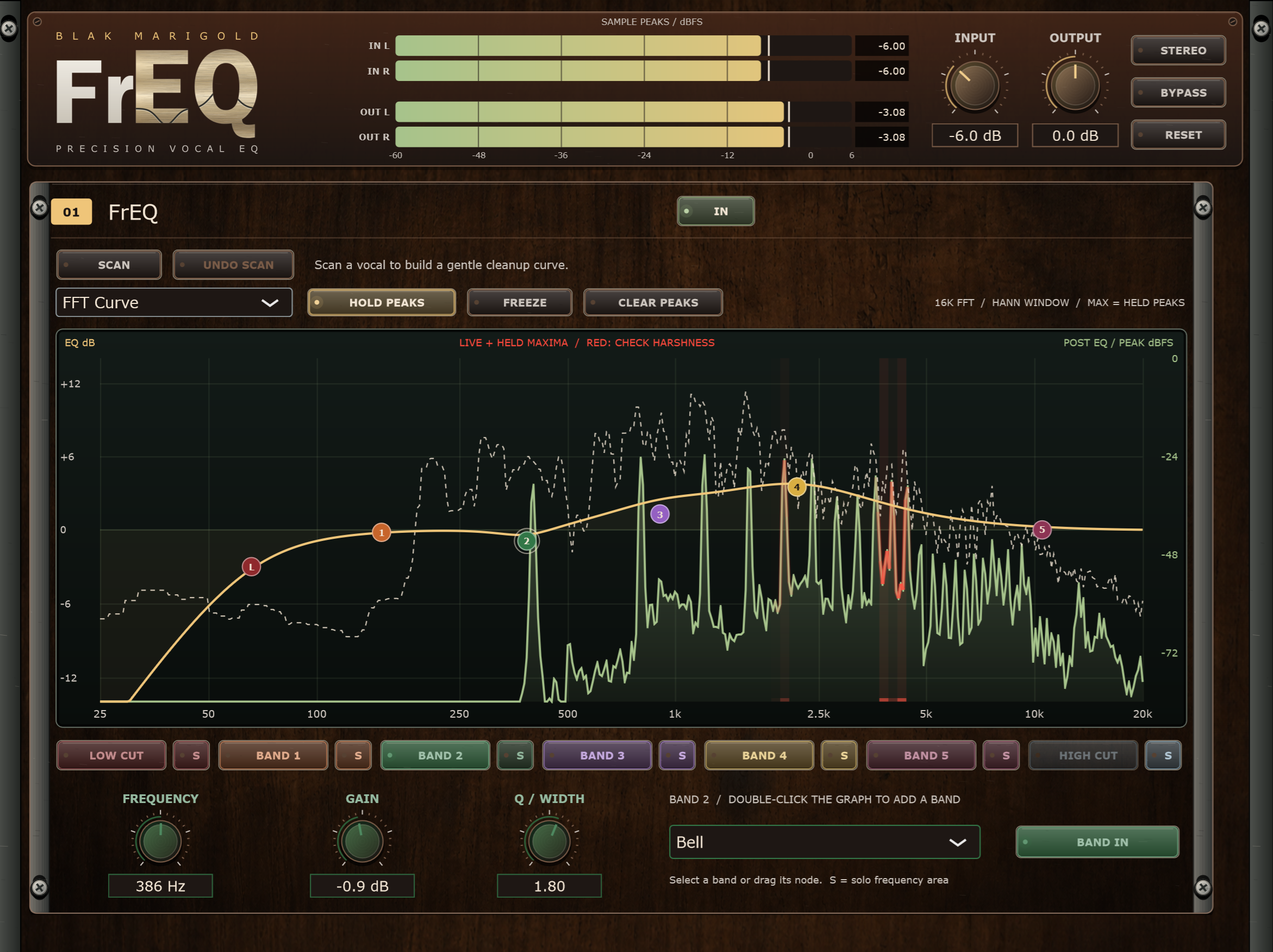
• See the problem: a live analyzer turns sustained harsh peaks (around 1.8–9 kHz) red, then fades back to green as you tame them.
• Scan your vocal: hit SCAN, play 6 seconds of vocal, and FrEQ applies a gentle cleanup curve you can tweak or undo.
• Hear the problem: Solo any band to listen to exactly what you're cutting.
• 5 flexible bands plus low and high cuts, each color-coded across the graph, knobs and buttons.
• Optional sidechain ducker: duck competing frequencies in a beat or instrumental only when the vocal needs room.
• Low latency (12 samples, 0.25 ms at 48 kHz), ready for tracking and mixing.
FrEQ is a free vocal EQ plugin for Windows VST3, made for spotting and taming harsh frequencies instead of guessing.
• Free download, no account or subscription needed.
• Windows installer for the VST3 plugin, version 0.12.1, digitally signed by Blak Marigold Pro LLC.
• Windows 10 or 11, 64-bit
• A DAW that supports 64-bit VST3 plugins (built and tested in Studio One)
• macOS, AU and AAX are not supported yet
If you are looking for free VST3 plugins for Windows, or free plugins for Studio One, FrEQ will load in Studio One and in other 64-bit Windows DAWs that host VST3 effects. It does not run on macOS and is not available as AU or AAX.
1. Add FrEQ to your cart and check out. It's free.
2. Download the installer from the confirmation page or email. The download link expires 24 hours after the first download, so save the file.
3. Close your DAW, run the installer, then reopen your DAW and rescan plugins.
4. Look for FrEQ by Blak Marigold in your effects list.
Questions or problems? Contact Blak Marigold Studio through our contact page or call 512-593-1267.
Is FrEQ a free EQ plugin for vocals? Yes. It is free to download. Checkout is $0 and delivers the Windows installer.
Does it work in Studio One? Yes. It was built and tested in Studio One as a 64-bit VST3. It should also load in other Windows VST3 hosts.
Is there a Mac version? Not yet. Windows 10 and 11 only.
Also from Blak Marigold: Split Sheet Studio, a music split sheet app with a web workspace and a Windows VST3 plugin on paid plans.
Find the harsh frequencies in your vocals and fix them fast. FrEQ is a free precision vocal EQ from Blak Marigold Studio in Manor, Texas, built from real sessions in our own room.
• See the problem: a live analyzer turns sustained harsh peaks (around 1.8–9 kHz) red, then fades back to green as you tame them.
• Scan your vocal: hit SCAN, play 6 seconds of vocal, and FrEQ applies a gentle cleanup curve you can tweak or undo.
• Hear the problem: Solo any band to listen to exactly what you're cutting.
• 5 flexible bands plus low and high cuts, each color-coded across the graph, knobs and buttons.
• Optional sidechain ducker: duck competing frequencies in a beat or instrumental only when the vocal needs room.
• Low latency (12 samples, 0.25 ms at 48 kHz), ready for tracking and mixing.
FrEQ is a free vocal EQ plugin for Windows VST3, made for spotting and taming harsh frequencies instead of guessing.
• Free download, no account or subscription needed.
• Windows installer for the VST3 plugin, version 0.12.1, digitally signed by Blak Marigold Pro LLC.
• Windows 10 or 11, 64-bit
• A DAW that supports 64-bit VST3 plugins (built and tested in Studio One)
• macOS, AU and AAX are not supported yet
If you are looking for free VST3 plugins for Windows, or free plugins for Studio One, FrEQ will load in Studio One and in other 64-bit Windows DAWs that host VST3 effects. It does not run on macOS and is not available as AU or AAX.
1. Add FrEQ to your cart and check out. It's free.
2. Download the installer from the confirmation page or email. The download link expires 24 hours after the first download, so save the file.
3. Close your DAW, run the installer, then reopen your DAW and rescan plugins.
4. Look for FrEQ by Blak Marigold in your effects list.
Questions or problems? Contact Blak Marigold Studio through our contact page or call 512-593-1267.
Is FrEQ a free EQ plugin for vocals? Yes. It is free to download. Checkout is $0 and delivers the Windows installer.
Does it work in Studio One? Yes. It was built and tested in Studio One as a 64-bit VST3. It should also load in other Windows VST3 hosts.
Is there a Mac version? Not yet. Windows 10 and 11 only.
Also from Blak Marigold: Split Sheet Studio, a music split sheet app with a web workspace and a Windows VST3 plugin on paid plans.